Home
Path: /home
Image: 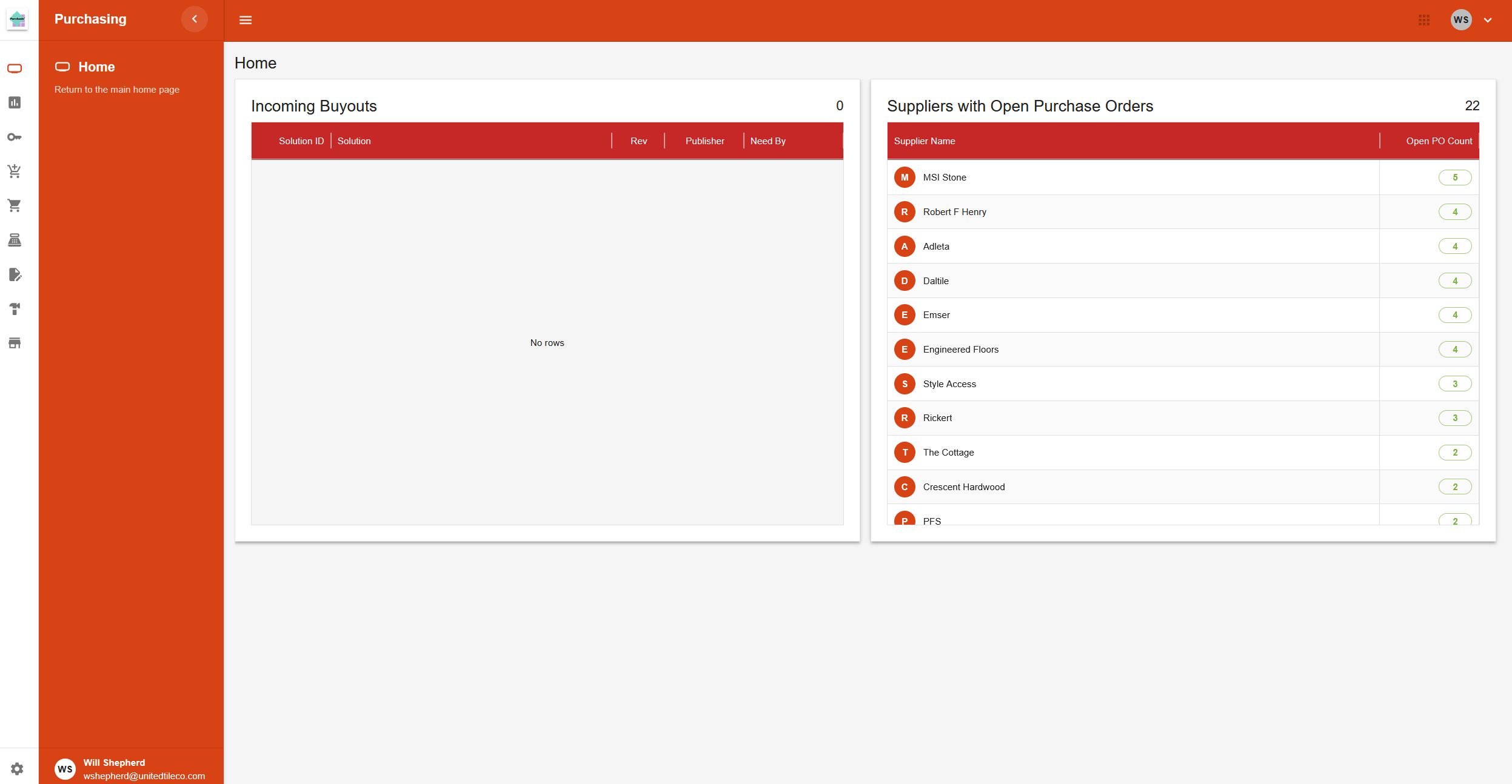
Page Layout
The Home page is a dashboard that provides a quick overview of purchasing information. It is divided into two main sections.
Incoming Buyouts
This section displays a table of new or incoming buyout orders.
- Header: Shows the title "Incoming Buyouts" and a total count of the items in the table.
- Table Columns:
- Solution ID: The identifier for the job.
- Solution: The name of the job.
- Rev: The revision number.
- Publisher: The initials of the person who published the buyout.
- Need By: The date the materials are needed by. This date is highlighted in red if it is urgent (within the next 7 days).
Suppliers with Open Purchase Orders
This section displays a table of suppliers who have open purchase orders.
- Header: Shows the title "Suppliers with Open Purchase Orders" and a total count of the suppliers listed.
- Table Columns:
- Supplier Name: The name of the supplier, with an avatar showing the first letter.
- Open PO Count: The number of open purchase orders for that supplier. The count is color-coded: green for a few, yellow for a moderate amount, and red for a high amount.
Page Actions
- Double-clicking a row in either table will navigate to a more detailed page for that item.