Sales Orders
Path: /sales-orders
Image: 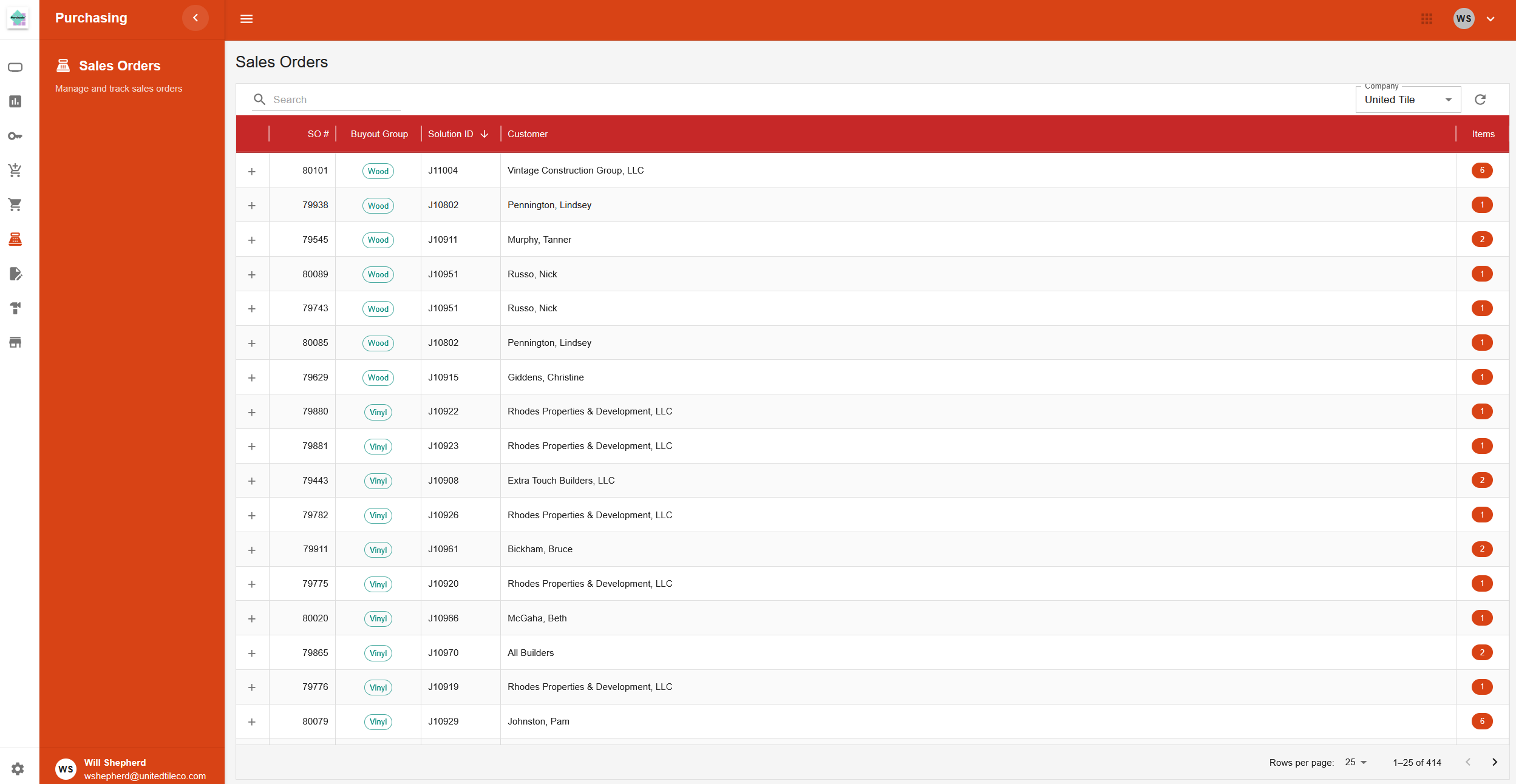
Page Layout
This page displays a table for viewing Sales Orders (SOs). The main table lists SOs, and each row can be expanded to show the individual items on that order.
Filters and Actions
The toolbar at the top includes tools for filtering the list.
- Search Bar: A field for searching sales orders.
- Company Filter: A dropdown menu to select a company and view its associated sales orders.
Sales Orders Table
The main table on the page lists sales orders.
- Columns: Includes information such as SO number, Buyout Group, Solution ID, Customer, and the number of items.
- Expandable Rows: Each row can be clicked to expand it, revealing the individual line items for that sales order.
Expanded View (Order Lines)
When a sales order row is expanded, a nested table appears showing the items on that order.
- Columns: Includes details for each item, such as SKU, Description, Expected date, and Status.
- Editable Fields: The Status and Expected date columns can be edited directly within this table.