Payment Processing Reference for Employees
Online and terminal payments will now all be logged digitaly. This includes Checks and Cash transactions. This allows ALL transactions to be captured easily as well as provide a receipt to the client confirming transactions.
TERMINAL-PAY / IN-SHOWROOM PAYMENTS
***all forms of In-Store payments will go through this process including Cash and Check
CLICK HERE: - https://clients.unitedtileco.com/terminal-pay
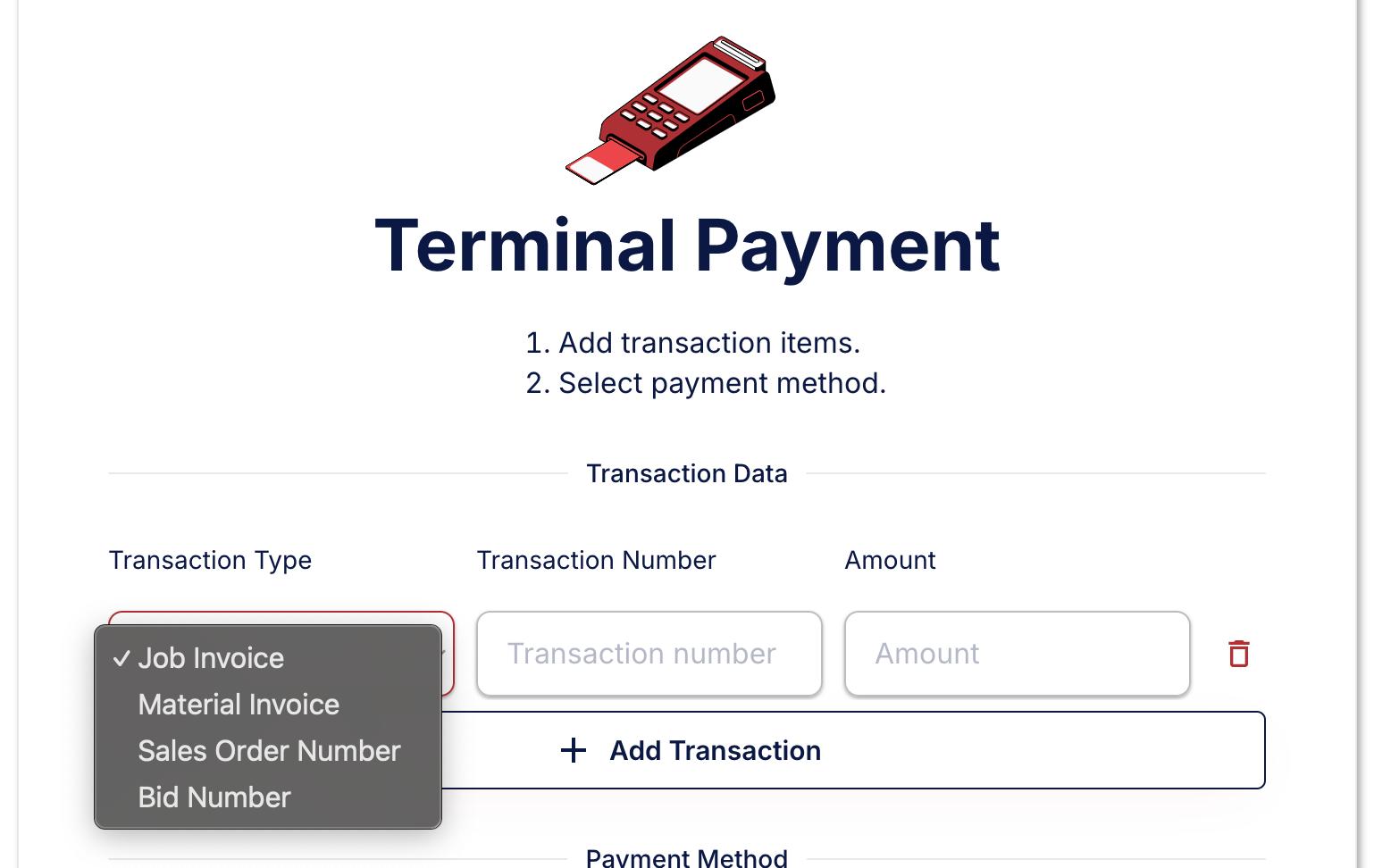
STEP 1: ADD TRANSACTION ITEMS:
Choose Item(s) Client is here to pay:
- Transaction type (Job Invoice, Material Invoice, Sales Order, or Bid# From Proposal)
- Transaction Number (reference number associated with type chosen)
- Amount dollar amount to be paid toward this transaction item.
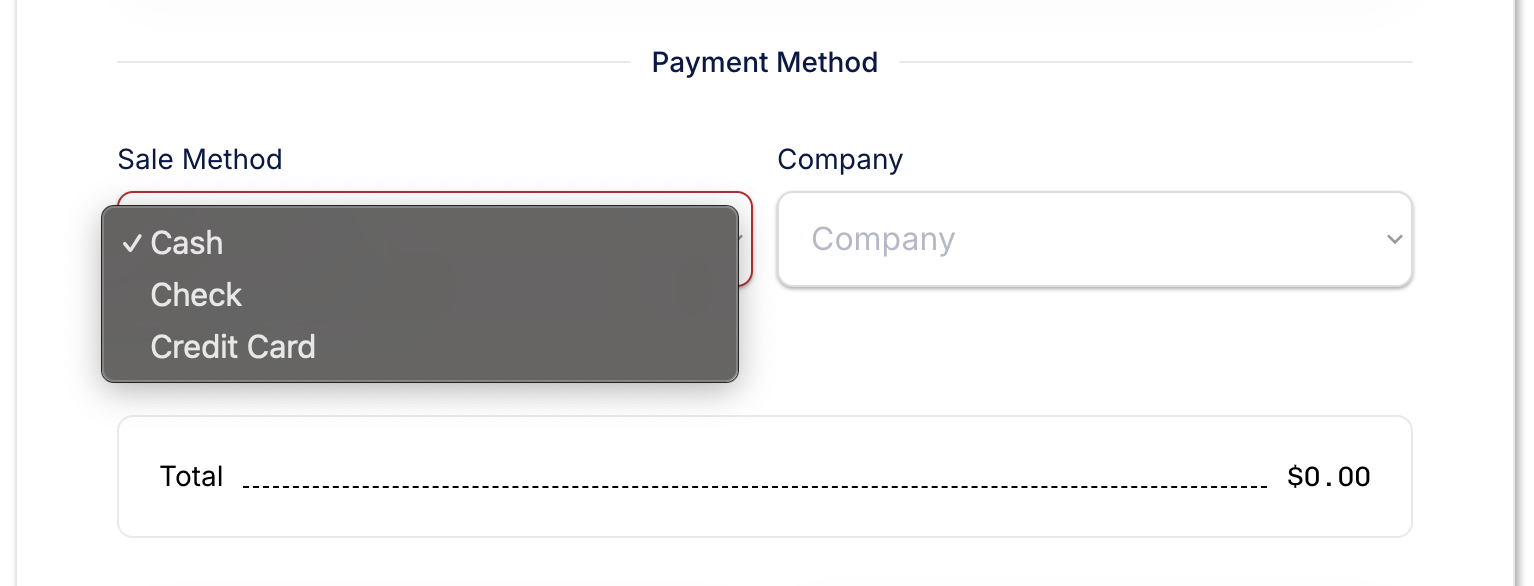
STEP 2: CHOOOSE PAYMENT METHOD
Cash Transaction
- Enter Type and Company being paid then “Finish Transaction”
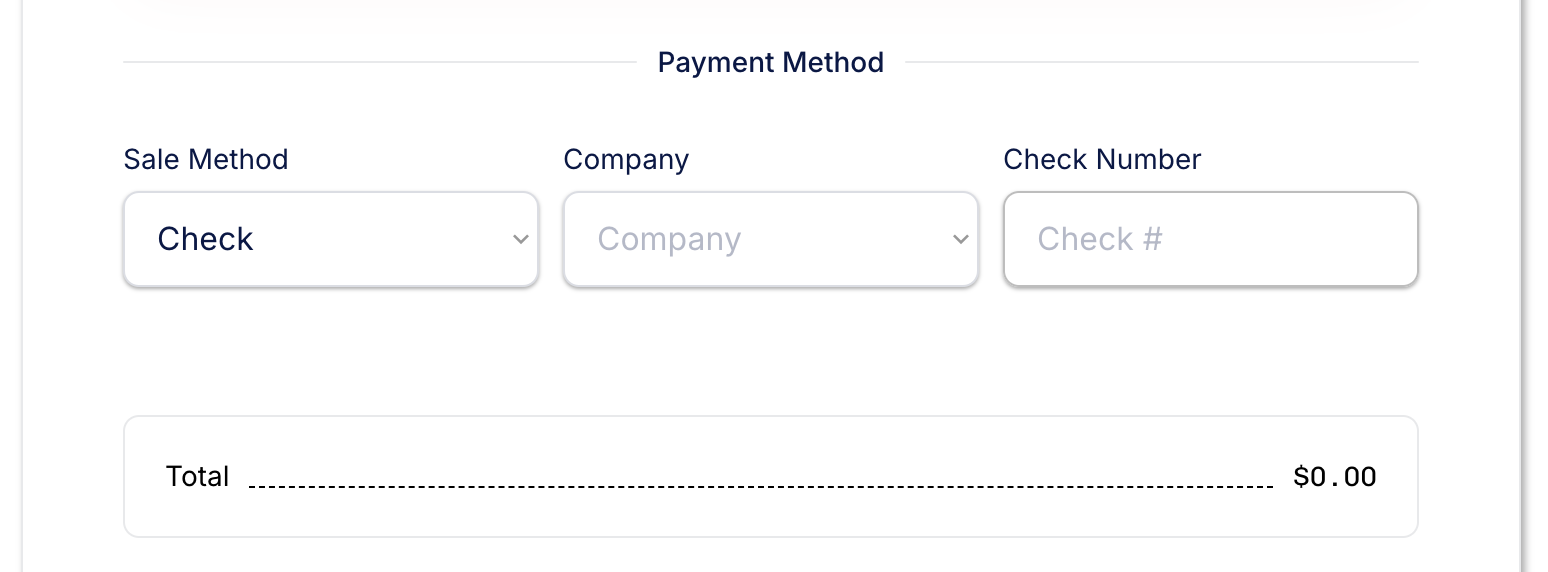
Check Transaction
- Enter Type, Company being paid and Check Number Reference then “Finish transaction”
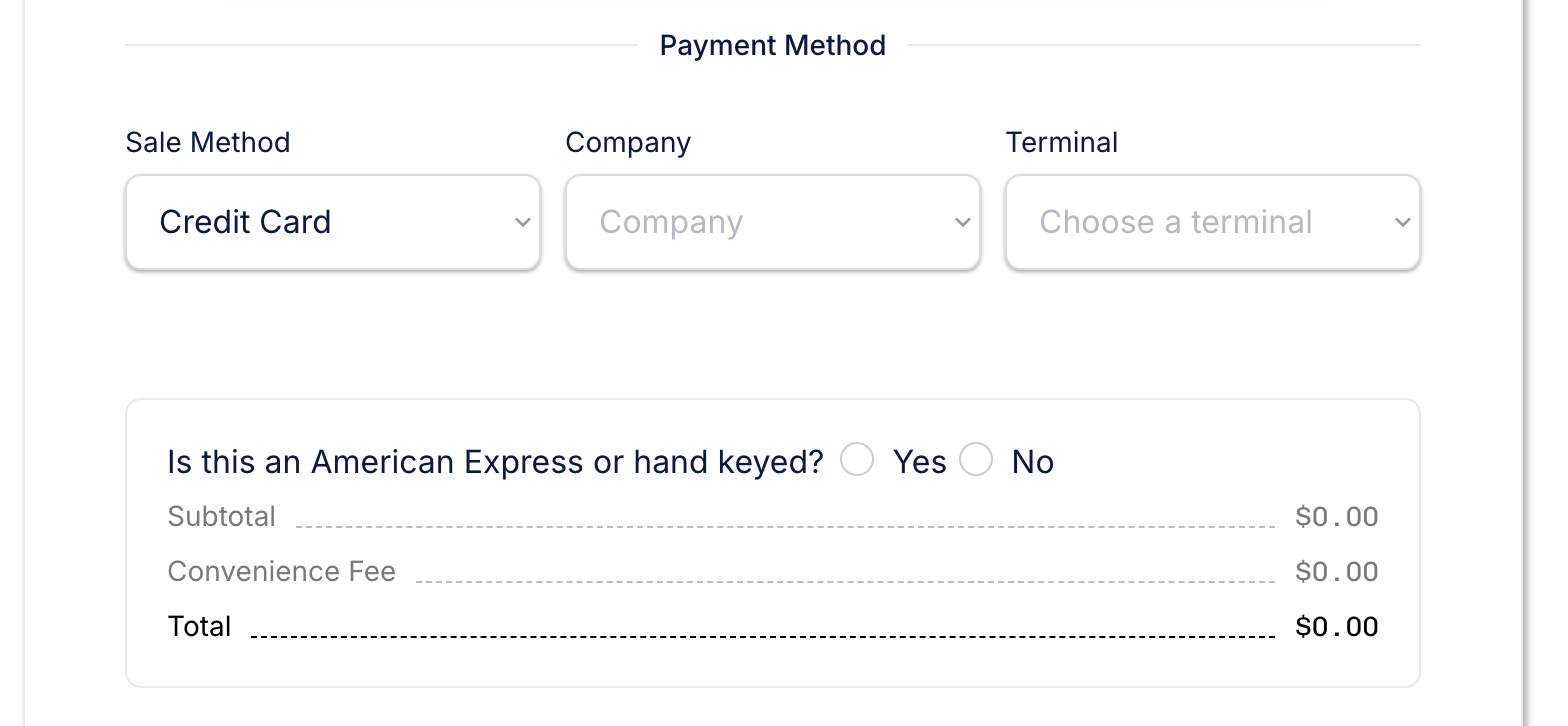 Credit Card Transaction**
- Choose a Company to be paid
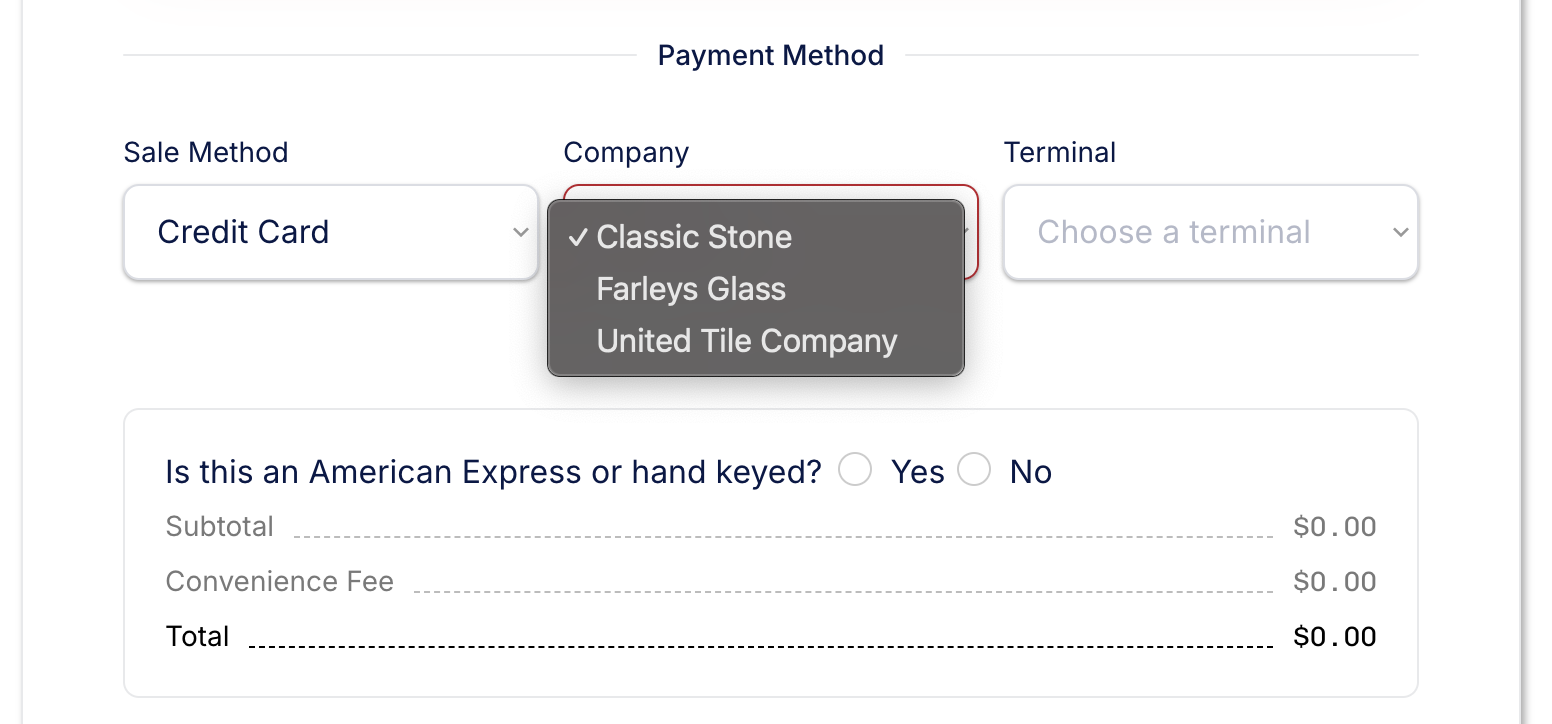
- The option to choose a “Terminal” will appear.
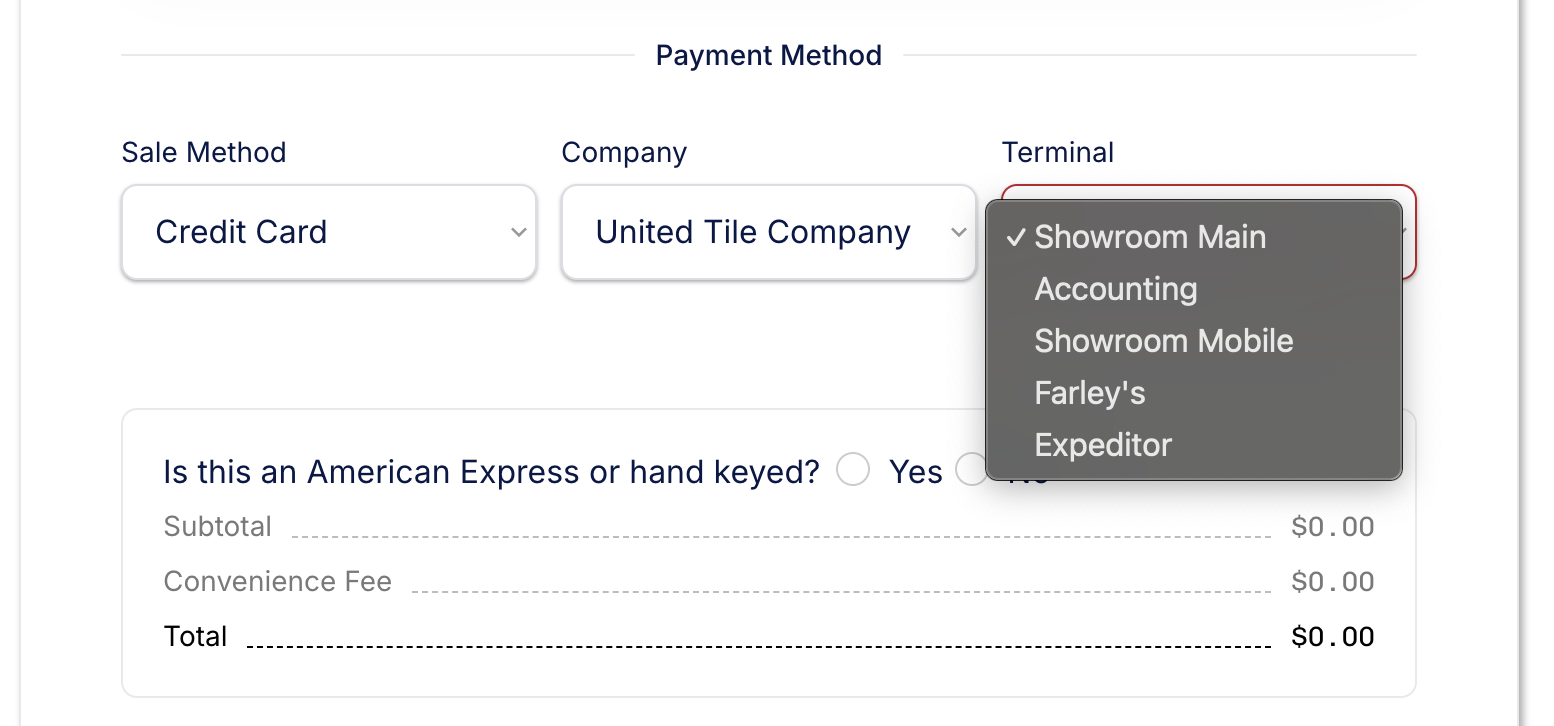
- Required Question user (employee) to answer “Is this an American Express or hand keyed?” due to fees associated with American Express as well as over the phone hand keyed transactions. No matter what the card type… if it is hand keyed answer yes.
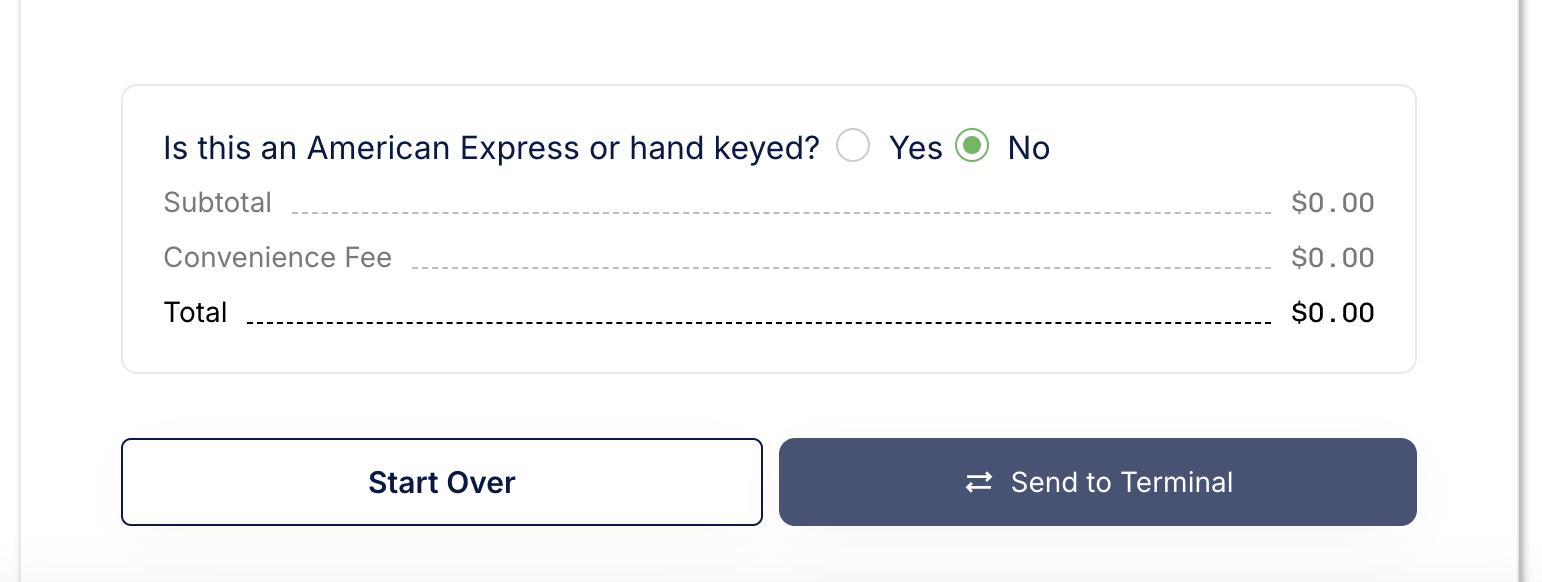
STEP 3: RUN TRANSACTION
-
Start Over clears form (without processing) sets page to be ready for a transaction
-
Send to Terminal sends the information in this form to the selected terminal ready for the client to present Credit Card.
STEP 4: SUCCESS PAGE
-
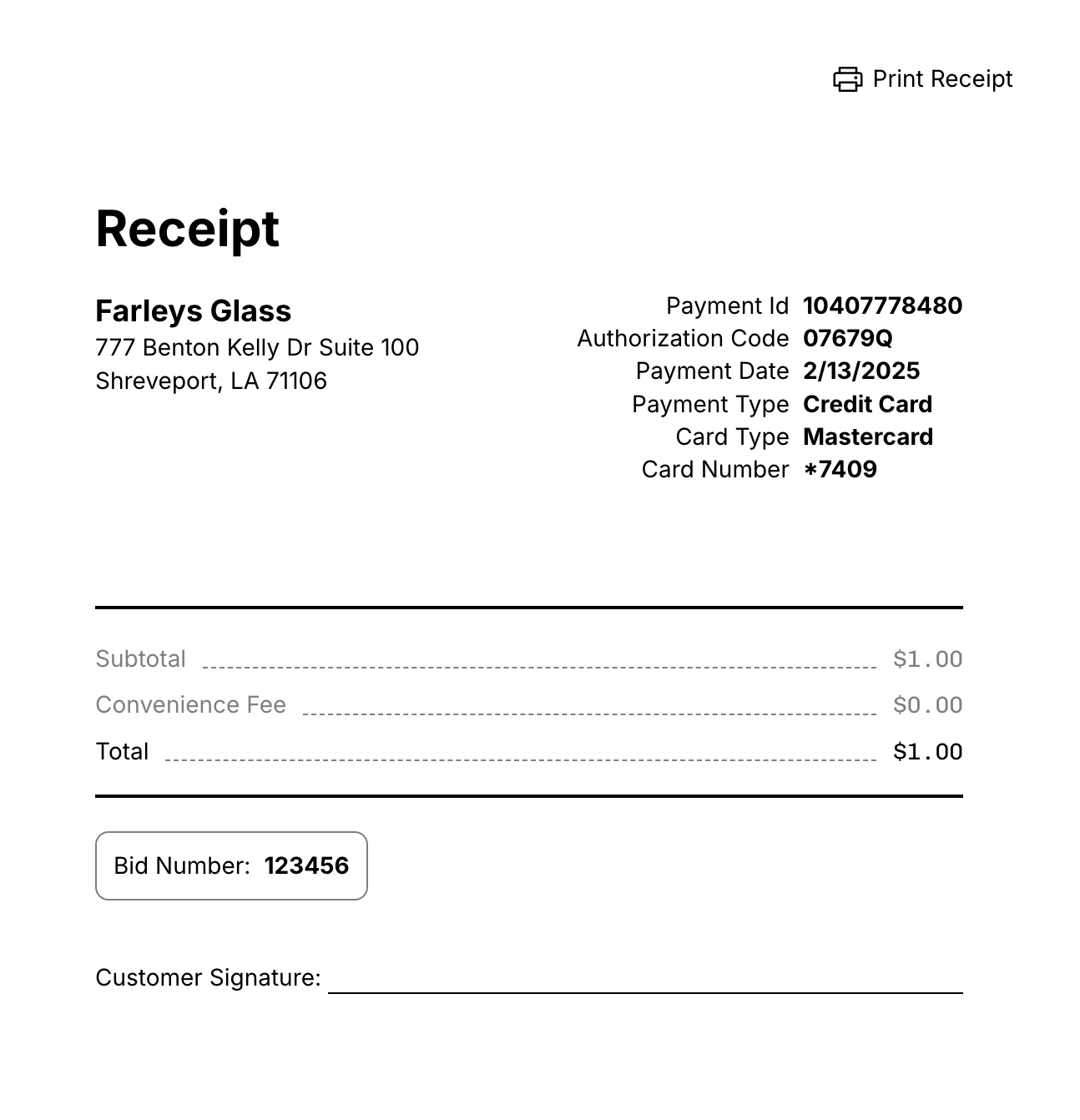
Successfully completed transaction will bring up a Success page.
- **What happens:
**Email sent to user who initiated the transaction (based on login)
Email to accounting
- **What happens:
-
Print Receipt Choose to “Print Receipt” Print 2 copies.
-
Client Signs Have client sign one to keep for store copy.
-
Start Another clears form (after transaction processing) sets page to be ready for another transaction.
ONLINE PAYMENTS
-
PROPOSALS: go to “Pay Now” option once it has been approved
-
ACH - No Fee
-
CC - with fee (3% for Amex 1.5% for all others)
-
Mail in payment
-
Pay in Person (follow “In-store payments”)
-
-
PAYMENT LINKS will be able to be sent for statements, due invoices, etc. allowing the recipient to go through the same process to make an “Online Payment”
1. Employee will send a payment link and attach relevant documents (invoice, statements, bills, etc.)
2. Client will click link and reference numbers of items being paid.
ADDITIONAL NOTES:
-
Over phone payments temporarily we will take over phone payments
1. Answer YES to the “Is this American Express or Hand Keyed?”
2. This will send the transaction to the terminal device.
3. Press hand key button on Terminal device
4. Hand Key Card information on the terminal device. -
Voids and Refunds must go through accounting